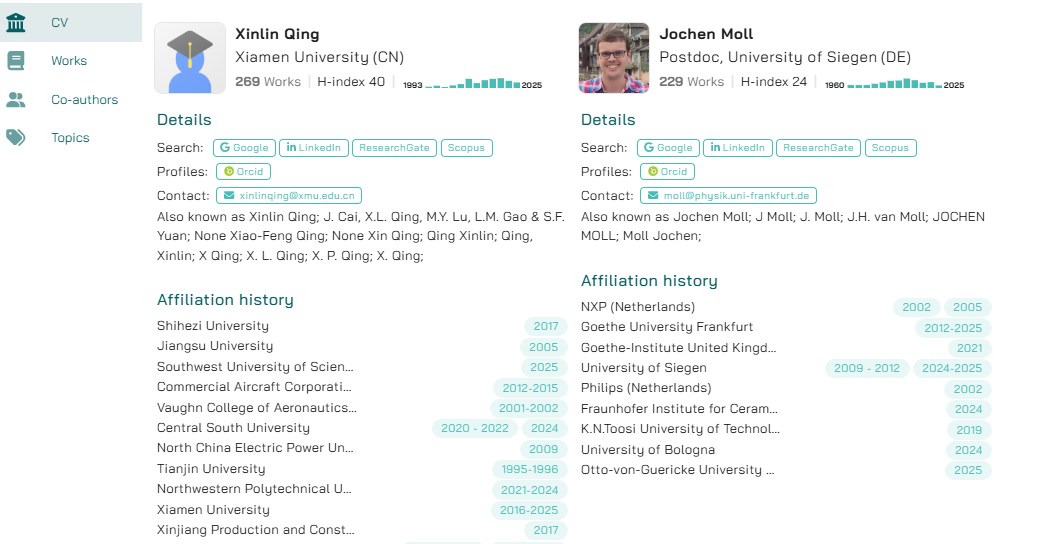
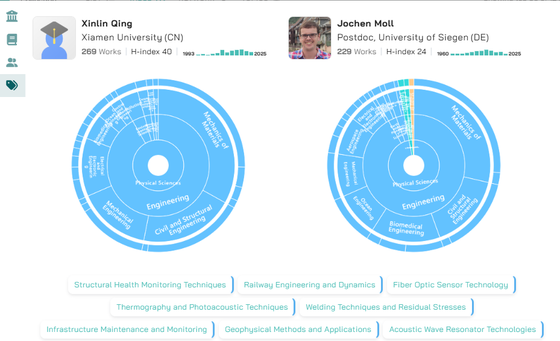
After a busy few months, we’re excited to introduce new features in Global Campus: enhanced author profiles, table view and a new side-by-side comparison table.
Author Profiles
Clicking the Profile button beneath an author’s photo now opens a more detailed profile view.
- Under CV, you’ll find the author's name, affiliation, and key details, including name variations and affiliation history.
- The Works section highlights the author’s most recent publications as well as those that match your search query.
- In Co-authors, you’ll see a full list of collaborators, including the title and date of their most recent joint publication and the total number of shared works.
- The Topics tab features the author’s expertise wheel. Colours represent top-level domains (Life Sciences, Social Sciences, Physical Sciences, and Health Sciences) so a mix of colours offers a quick visual cue to the author’s multidisciplinarity.
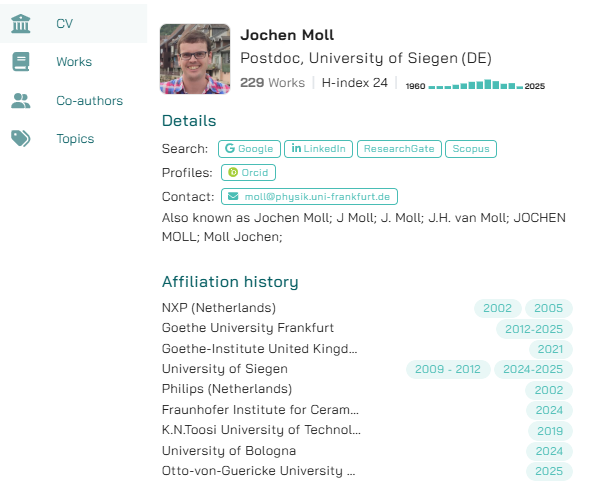
Table View and Profile Comparison
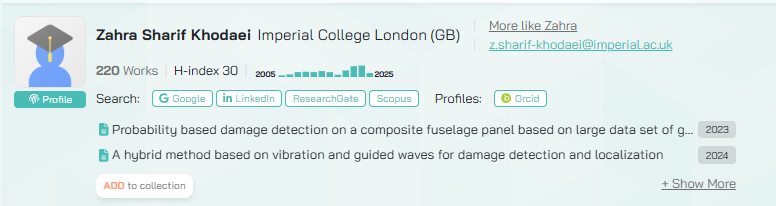
In addition to list and network views, search results can now be shown in a table format. This view displays each author’s name, affiliation, publication history, H-index, number of works, and citation count. The small green icon in front of each authors name is clickable and directs you to the author’s Orcid page. Selecting an author reveals two of their matching publications and an Add to collection button for quick curation.
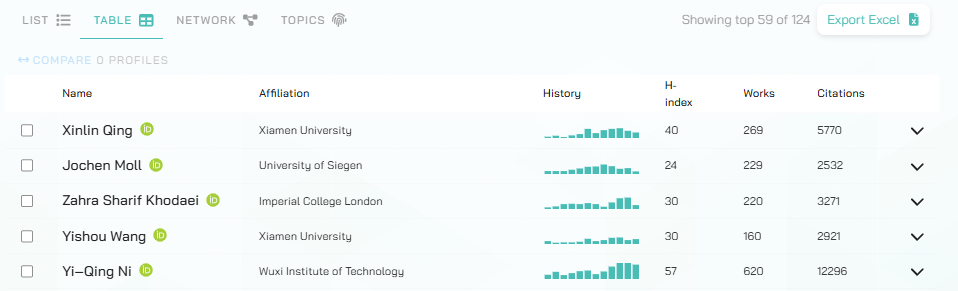
For a deeper look, choose any two authors and click Compare to see their profiles side by side, making it easier to analyze similarities, differences, and strengths at a glance.